
Bodyper guides
Understand your workout statistics and progress
Bodyper turns recorded workouts into views you can return to: training activity, volume, personal records, muscle distribution and reports. Start with a period and read its totals in context.
Start with activity and the time period
Choose the period you want to review and check the training days and completed workouts. Use the history calendar to return to the sessions behind a total.
A shorter period and a longer period answer different questions. Compare equivalent periods before interpreting a change in your training activity.
Read volume and exercise records together
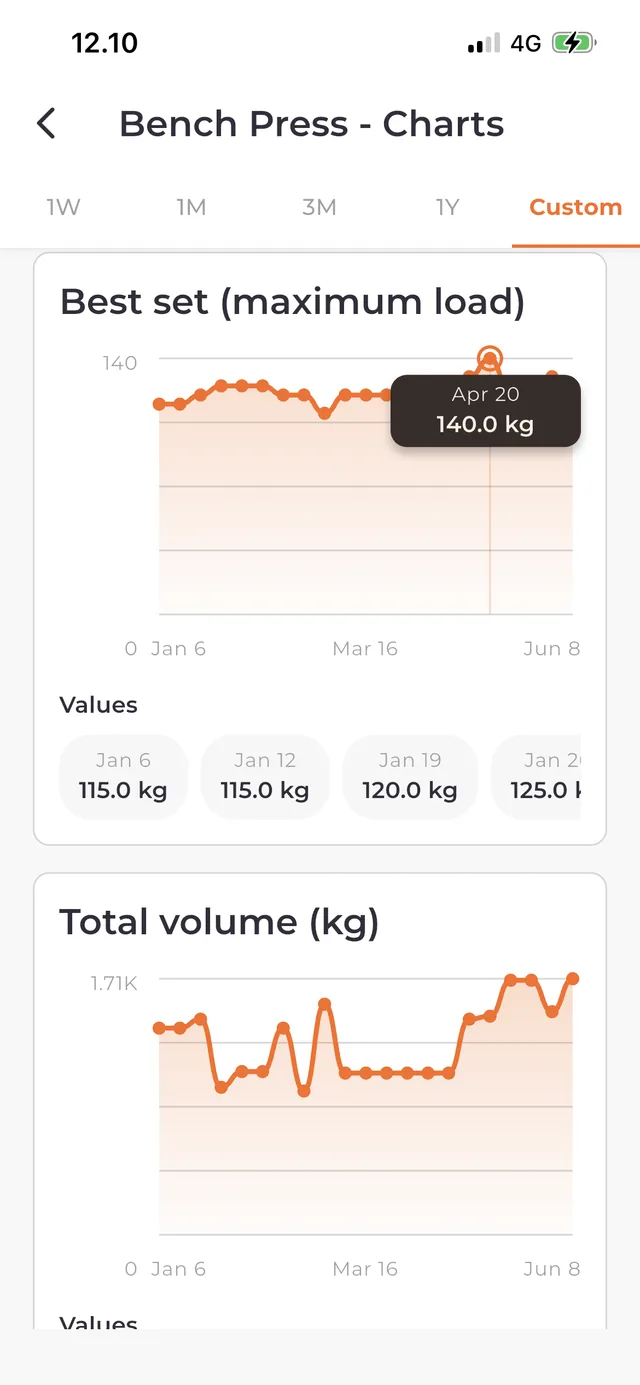
Volume helps describe the amount of recorded resistance work. Exercise charts and personal records help you follow performance for an individual movement.
A larger volume total does not by itself prove greater strength or better training. Exercise selection, recording fields and the length of the period affect what you see. Keep exercise variations and units consistent when comparing records.
Explore muscle distribution and measurements
Muscle views show how your recorded training is distributed across muscles and regions. Use them to inspect your training history, not as a measurement of muscle growth.
Body measurements have their own entry history and trend views. Review a measurement in its correct unit and compare entries taken in a consistent way.
Know what Free and Premium show
Free includes full workout history, personal-record values, measurements and the one-month view of statistics, exercise charts and measurement trends. Current basic weekly and monthly reports remain available.
Premium adds one-week, three-month, one-year and custom-date views, period comparisons, deeper muscle analysis, personal weekly reviews and older reports. PDF and CSV performance-report exports help you keep a copy outside the app. See the homepage for the complete feature comparison.
Keep exploring
Find exercises and videos for your gym program
Explore 7,500+ exercises in Bodyper. Search by name, filter by equipment and muscles, and play demonstration videos before adding a movement to your program.
Build a gym program you can use every week
Create a gym program in Bodyper, arrange workout days, choose exercises and prepare sets. Start a workout from your plan and keep completed sessions in history.
Log a workout without an internet connection
Train offline with Bodyper: use local programs, record sets, resume your active workout and view saved history. Sync recorded training when you reconnect.