
Bodyper guides
Find exercises and videos for your gym program
The Bodyper exercise library brings together more than 7,500 exercises with videos. Use it to find a familiar movement, explore alternatives or check the guidance before a set.
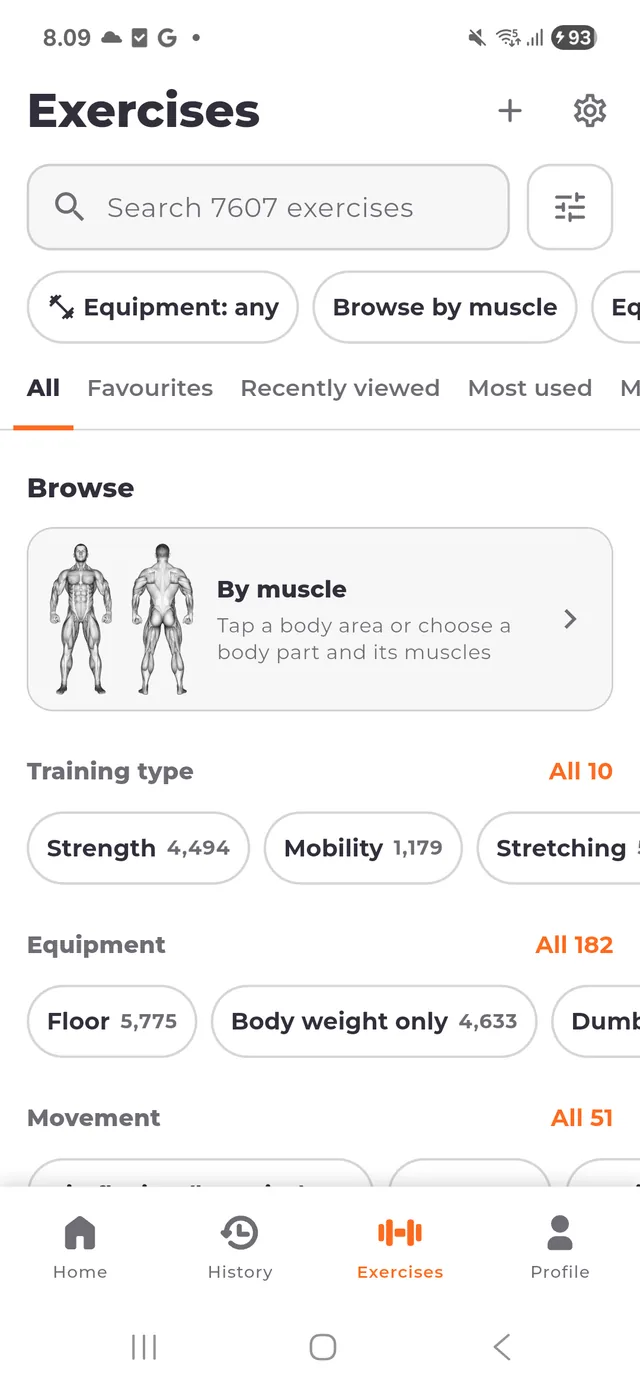
Start with a name or a muscle
Open the exercise library and search for the movement you want. If the name is unfamiliar, start with the muscle you want to train instead. English and Finnish interfaces help you browse in your preferred language.
An exercise name describes a specific movement and variation. Check the equipment and movement details before choosing between similar names.
Narrow the library to your equipment
Use the filters to select equipment and muscle groups. Combine filters to find movements you can perform with the equipment available at your gym. Clear filters when a search is too narrow.
Open a result to inspect its details. The muscle information distinguishes the muscles involved in the exercise; it is more useful than judging a movement from its name alone.
Play the demonstration when you need it
Exercise details initially show a thumbnail. Tap Play when you want to load the demonstration video, then use the playback controls to review the movement. Browsing an exercise does not automatically start its video.
The catalog can be browsed locally. Video playback needs a connection unless the required media is already available locally. Do not assume every video is stored on your phone.
Use the movement in your training
Choose the exercise when building or editing a workout day. Keep its exact variation consistent when comparing your own recorded performance over time.
Videos provide a visual reference, not an assessment of your technique or an individual training prescription. Choose loads and movements appropriate for you.
Keep exploring
Build a gym program you can use every week
Create a gym program in Bodyper, arrange workout days, choose exercises and prepare sets. Start a workout from your plan and keep completed sessions in history.
Log a workout without an internet connection
Train offline with Bodyper: use local programs, record sets, resume your active workout and view saved history. Sync recorded training when you reconnect.
Understand your workout statistics and progress
See what Bodyper statistics show: training activity, volume, exercise records, muscle distribution, measurements and reports, with longer comparisons in Premium.